
Take your entertainment anywhere with the Wins Royal South Africa mobile application. Access 2,000+ slot machines, live dealer tables, and crash games directly from your Android or iOS device—complete ZAR banking integration ensures seamless deposits and withdrawals on the move.
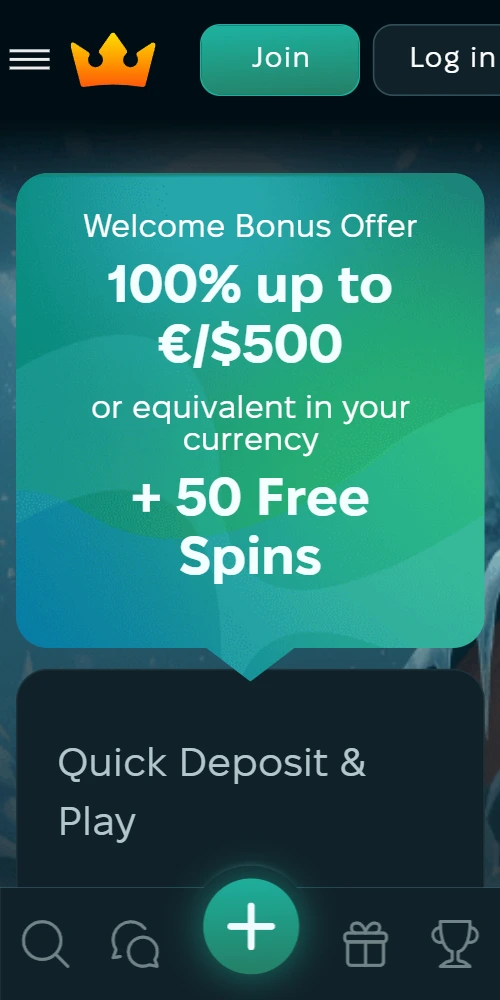
Android users access the full native application through direct APK download. Navigate to the official website from your mobile browser and punch the "Download App" button located in the mobile menu. Your device may display a security warning since the APK comes from outside Google Play Store—this is normal for gambling applications in South Africa. Go to Settings > Security > Unknown Sources and enable installations from unknown sources temporarily.
Once enabled, locate the downloaded APK file (usually in your Downloads folder) and tap to initiate installation. The process takes approximately 30-45 seconds depending on your device specs. After installation completes, you can disable the Unknown Sources setting for security purposes. The app icon appears on your home screen; punch it to launch and log in with existing credentials or complete new registration directly within the app.
APK file size sits at roughly 85MB, so a stable WiFi connection is recommended for initial download. The application supports Android 6.0 and above—older devices may experience performance issues or compatibility problems. Once installed, the app auto-updates when new versions release, ensuring you always have access to latest features and security patches.
Apple's App Store restrictions prevent native casino applications in South Africa; therefore iOS users access the platform through an optimized web application. Open Safari browser (Chrome and other browsers work but Safari provides best compatibility) and navigate to the official website. Punch the Share icon at the bottom of Safari, then scroll down and select "Add to Home Screen" from the menu options.
Choose a recognizable name (like "Wins Royal") and tap Add in the top right corner. This creates a shortcut on your home screen that launches the web app in fullscreen mode without browser navigation bars—it feels nearly identical to a native application. The web app requires an active internet connection since it streams content rather than storing files locally; however this means no storage space consumption on your device.
Access all 2,000+ slot machines, live dealer tables, and crash games. No reduced selection—mobile library mirrors desktop offerings completely.
Deposit via Capitec, Ozow, vouchers, and crypto directly from app interface. Withdrawal requests process with same speed as desktop.
Receive alerts for deposit bonuses, free spins promotions, and jackpot wins. Customize notification frequency in app settings.
Interface optimized for touchscreen with swipe navigation, tap-to-spin functionality, and gesture-based bet adjustments.
Enable fingerprint or face recognition for quick secure access. Eliminates need to enter password on every session.
Reduce mobile data consumption by up to 60% with compressed graphics option. Essential for users without unlimited data plans.
The Android application requires minimum Android 6.0 (Marshmallow) with 100MB free storage space for installation. Recommended specs include Android 8.0 or newer with 2GB RAM for optimal performance—devices with less RAM may experience occasional lag during live dealer streams or graphic-intensive slot sessions. Screen resolution support ranges from 720x1280 to 1440x2960, automatically adapting interface elements to your specific display dimensions.
For iOS users, the web application supports iOS 12.0 and above, compatible with iPhone 6s and newer models. Safari 12+ provides best performance, though Chrome and Firefox work adequately. Since the web app streams content, internet connection quality matters more than device specifications; minimum 3 Mbps recommended for smooth gameplay, 5 Mbps or higher for HD live dealer feeds. The progressive web app technology used means updates deploy instantly without manual downloads—refresh the page and you're running latest version.
Both platforms support portrait and landscape orientations. Slot machines typically play better in portrait mode for easier reel visibility, while live dealer tables benefit from landscape orientation to accommodate dealer feed and betting interface simultaneously. The app remembers your orientation preference per game type.
Close background applications before launching intensive games like live dealer or high-volatility slots—this frees RAM and prevents performance drops. If you experience stuttering during gameplay, reduce graphics quality in app settings; this lowers visual fidelity slightly but ensures smoother frame rates on older devices. Clear app cache weekly through your device settings to prevent storage bloat and maintain optimal loading speeds.
Battery consumption averages 15-20% per hour during active play. Enable battery saver mode for extended sessions, though note this may dim screen brightness and limit background processes. For Android users, adding the app to battery optimization exceptions prevents the system from killing it during idle periods—this keeps your session active if you briefly switch to another app.
The mobile interface prioritizes quick access over extensive menus. Game filters appear as swipeable tabs rather than dropdown lists; favorites section lets you bookmark frequently played slots for instant access. Bet adjustment uses slider controls instead of +/- buttons—this allows faster stake changes with single gesture. Live chat support opens in overlay window rather than sidebar, ensuring full screen real estate remains available for gameplay.
Payment processing maintains identical timeframes across platforms. Deposits credit instantly whether submitted from mobile or desktop; withdrawals follow same 24-72 hour processing schedule. KYC document uploads actually work more smoothly on mobile—you photograph ID and proof of address directly with device camera rather than scanning or uploading from computer. The app automatically crops and enhances images for better verification success rates.
One notable mobile advantage: location-based promotions. When GPS is enabled, the app offers geo-specific bonuses for players in major cities like Johannesburg, Cape Town, and Durban. These typically include free spins on locally popular titles or deposit match bonuses timed with local sporting events and public holidays. Desktop users don't receive these targeted offers.
No—the application download is completely free. You only need funds in your account to play real-money games; practice mode works without deposits.
Yes, your account credentials work across all platforms. Balances, bonuses, and game progress sync automatically between devices.
Google's policies prohibit real-money gambling applications in most regions including South Africa, requiring direct APK distribution instead.
Standard gameplay uses approximately 50-80MB per hour; live dealer streams consume 150-250MB hourly depending on video quality settings. Data saver mode reduces consumption by roughly 60%.
Typical consumption runs 15-20% per hour during active play—comparable to video streaming applications.

